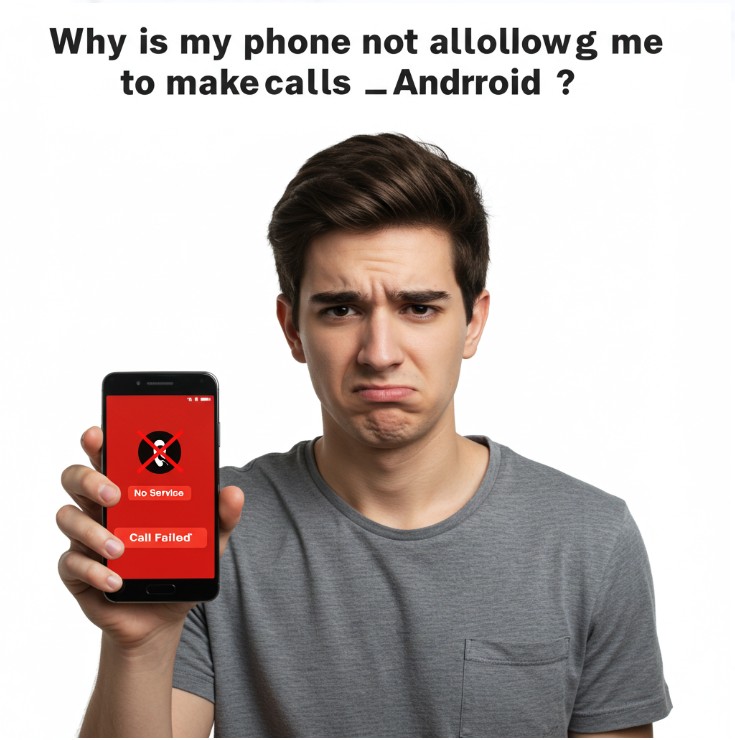
We’ve all been there. That moment of frustration when you tap the green phone icon, dial a number, and… nothing. Silence. Or worse, a cryptic error message. Your Android, once a reliable communicator, has decided to go on strike. But why? The repetition of “why is my phone not allowing me to make calls android?” is a mirror to the escalating frustration we feel. Let’s delve into the myriad reasons behind this digital silence, and explore solutions beyond the standard “have you tried turning it off and on again?”
Beyond the Obvious: Unraveling the Network Knot
The most common culprit is, of course, network connectivity. But it’s rarely as simple as “no signal.” Consider these nuances:
- Signal Strength vs. Network Registration: You might see bars, but are you actually registered on the network? A temporary glitch could prevent this. Try toggling airplane mode on and off to force a re-registration.
- Roaming Issues: If you’re traveling, ensure roaming is enabled and that your plan supports it in the current location. Sometimes even with roaming enabled, there might be a mismatch of network bands.
- SIM Card Snafus: A misaligned, damaged, or deactivated SIM card can lead to call failures. Try removing and reinserting the SIM, or testing it in another device if possible.
- VoLTE/Wi-Fi Calling Glitches: If you rely on Voice over LTE (VoLTE) or Wi-Fi calling, these features can sometimes malfunction. Check your settings and try toggling them off and on. A weak Wi-Fi connection can also cause issues with Wi-Fi calling.
- Carrier Outages: It’s not always you. Check your carrier’s website or social media for reported outages in your area.
The Software Labyrinth: Digging Deeper
Beyond hardware and network issues, software conflicts can also silence your phone:
- App Permissions: A recent app installation or update might have interfered with phone permissions. Check your app permissions in settings, specifically for the “Phone” app.
- Software Updates and Bugs: A recent Android update, or a bug within your phone’s operating system, could be the cause. Look for available updates, or consider rolling back to a previous version (if possible) as a last resort.
- Dialer App Issues: The default dialer app can sometimes malfunction. Try clearing the app’s cache and data, or using an alternative dialer app from the Play Store.
- Do Not Disturb/Focus Mode: Ensure that Do Not Disturb or Focus Mode isn’t accidentally enabled, as these features can block incoming and outgoing calls.
- Blocked Numbers: Verify that the number you are trying to call hasn’t been accidentally blocked.
Hardware Hiccups: Physical Problems
While less common, hardware issues can also lead to call failures:
- Antenna Problems: Damage to the phone’s antenna can significantly reduce signal strength.
- Speaker/Microphone Malfunctions: Although these won’t prevent calls from initiating, they can prevent you from hearing or being heard. Test your speaker and microphone using a voice recording app.
- Liquid Damage: Even minor liquid exposure can damage internal components.
Troubleshooting Steps: A Systematic Approach
When faced with a silent phone, adopt a systematic approach:
- Restart your phone: The classic remedy, but often effective.
- Check your signal and network registration: Look for bars and ensure you’re registered.
- Toggle airplane mode: Force a network re-registration.
- Check your SIM card: Reseat it or test it in another device.
- Verify app permissions: Ensure the Phone app has necessary permissions.
- Clear dialer app cache and data: Resolve potential app glitches.
- Check for software updates: Ensure your phone is running the latest software.
- Test in safe mode: Safe mode disables third-party apps, helping identify software conflicts.
- Contact your carrier: Rule out network outages or account issues.
- Consider a factory reset: As a last resort, back up your data and perform a factory reset.
- Seek professional help: If all else fails, consult a qualified technician.
The frustration of tapping the dial button, only to be met with silence, is a common digital-age annoyance. The repetitive questions – “why is my phone not allowing me to make calls android?“, “why is my phone not allowing me to make calls (android)?”, “why is my android phone not allowing me to make calls?”, “why is my phone not allowing me to make calls on android?”, and “why is my android phone not allowing me to make calls?” – echo the escalating anxiety of being disconnected. Let’s explore the multifaceted reasons behind this communication breakdown and offer actionable solutions.
Why is my phone not allowing me to make calls android?
The most immediate answer often lies within the network connection. While signal bars are a visual indicator, they don’t guarantee a functional network. Your Android might be experiencing:
- Weak or unstable signal: Physical barriers, distance from towers, or network congestion can hinder call connectivity.
- Network registration issues: Even with a visible signal, the phone might fail to register with the network, preventing calls.
- SIM card problems: A loose, damaged, or deactivated SIM card is a frequent culprit.
Why is my phone not allowing me to make calls (android)?
Moving beyond basic connectivity, software glitches can also disrupt call functionality. This includes:
- App conflicts: Newly installed or updated apps might interfere with the phone’s dialer or permissions.
- Software bugs: Operating system errors or glitches within the dialer app itself.
- Incorrect settings: Accidentally enabled “Do Not Disturb” or call blocking features.
Why is my android phone not allowing me to make calls?
Expanding the scope, we must consider hardware limitations. These are less common but significant:
- Antenna damage: Physical damage to the phone’s antenna can severely impair signal reception.
- Speaker or microphone malfunctions: While these don’t prevent calls from initiating, they can render them useless.
- Internal component failure: Liquid damage or other hardware issues can disrupt call functionality.
Why is my phone not allowing me to make calls android?
This repeated question highlights the user’s need for a systematic troubleshooting approach. Here’s a breakdown:
- Restart the device: A simple reboot can resolve temporary software glitches.
- Check signal strength and network registration: Ensure a stable connection.
- Toggle airplane mode: Force a network re-registration.
- Verify SIM card integrity: Reseat or test the SIM in another device.
- Examine app permissions: Ensure the “Phone” app has necessary access.
- Clear dialer app cache and data: Resolve potential software conflicts.
- Update software: Install the latest Android updates to fix bugs.
- Check blocked numbers: ensure the number you are calling is not blocked.
- Test in Safe Mode: This will determine if a 3rd party app is the culprit.
- Contact your carrier: Rule out network outages or account issues.
- Perform a factory reset (as a last resort): Back up data before proceeding.
Why is my phone not allowing me to make calls on android?
This variation emphasizes the “on Android” aspect, suggesting a focus on Android-specific features. Consider:
- VoLTE/Wi-Fi calling issues: Ensure these features are properly configured and functioning.
- Android system updates: Recent updates might have introduced bugs affecting call functionality.
- Carrier-specific settings: Some carriers have unique Android settings that can affect call performance.
Why is my android phone not allowing me to make calls?
This final iteration reinforces the user’s desire for a comprehensive solution. By addressing network, software, and hardware factors, and following a systematic troubleshooting process, users can effectively diagnose and resolve call failures on their Android devices. The key is to approach the problem methodically, eliminating potential causes one by one.
The repeated query “why is my phone not allowing me to make calls android?” reflects a common frustration. By understanding the potential causes, from network glitches to software conflicts and hardware hiccups, you can effectively troubleshoot and restore your phone’s ability to connect.





qo9a4t
onhhes
xvydnu
cl46tf
1sflhh
Những chương trình khuyến mãi hấp dẫn luôn là điểm sáng của nhà cái taptap. Với ưu đãi 1.500.000 đồng khi người chơi bet88 thực hiện nạp lần đầu, cơ hội gia tăng vốn cược chưa bao giờ dễ dàng đến thế. Không chỉ vậy, các chương trình hoàn trả cược tại casino, bắn cá, hay cá cược thể thao cũng được nhà cái taptap cập nhật liên tục với tiền thưởng không giới hạn. Khi chơi tại taptap, bạn sẽ luôn cảm nhận được sự quan tâm từ hệ thống qua các ưu đãi hàng tuần, khuyến mãi sinh nhật hay sự kiện đặc biệt. Hệ thống cá cược tại taptap luôn được nâng cấp liên tục, đảm bảo trải nghiệm chơi tốt nhất cho mọi người. Với hàng loạt trò chơi, giải đấu, tỷ lệ cược hấp dẫn cùng giao dịch rút tiền về ngân hàng dễ dàng, đây chính xác là nơi bạn cần để tham gia cá cược trực tuyến. Còn chần chờ gì nữa, hãy truy cập website xn88 win HIPHOP ngay để đăng ký tài khoản tapbet thôi nào!
slot365 đăng nhập Giao diện website và ứng dụng cũng chính là điểm gây ấn tượng đặc biệt với hội viên. Nền tảng cho sử dụng màu sắc hài hòa, đơn giản nhưng khi kết hợp với nhau tạo cảm giác thu hút đặc biệt. Ngoài ra, hệ thống điều hướng, danh mục đều sắp xếp vô cùng khoa học nên dù bạn có là thành viên mới thì cũng sẽ dễ dàng tìm thấy thông tin mong muốn nhanh chóng.
Đội ngũ quản trị của telegram 888slot luôn giám sát hệ thống một cách liên tục. Mỗi giao dịch, từ nạp tiền đến rút tiền, đều được kiểm tra cẩn thận để đảm bảo an toàn tuyệt đối. Nhờ vào các biện pháp bảo mật tiên tiến này, nhà cái đã xây dựng được lòng tin từ hàng triệu người chơi trên toàn thế giới.
777win97 is a gem I recently discovered. Nice and clean site, loads of options for game types. So, if you are looking for a new place to try, click this link 777win97!
Không phải ngẫu nhiên mà 66b ios lại chiếm được lòng tin của nhiều người chơi đến vậy, để làm được điều này nhà cái đã không ngừng nỗ lực và cải thiện chất lượng dịch vụ của mình để mang lại những thứ tốt nhất dành cho người chơi.
Alright, 188wincom looks pretty sweet! Been checking it out and the odds seem solid. Hopefully my luck will hold! Definitely worth a look if you’re into online betting. Check it out here 188wincom.
Tried c77game the other day. I was pleasantly surprised by the variety. Graphics were pretty good too. It’s worth a look if you’re bored of the same old casinos. Head over to c77game and see what you think!
Arcade vibes, anyone? ‘yonoarcadeonline’ is bringing back the classics! Try it now with this link: yonoarcadeonline. Old-school fun, new-school thrills!
2l4rrm
okpszg
umi0vw
b7u93s
alm9co
888slot 1 sở hữu thư viện game bài đa dạng với hàng trăm lựa chọn, từ các game truyền thống đến phiên bản hiện đại. Dựa trên dữ liệu người chơi, ba thể loại được yêu thích nhất là Baccarat, Poker và Xóc đĩa.
Đọc xong bài này mình đã thử tham gia hb88 ink và thấy mọi thứ khá giống với phần review được chia sẻ ở trên.